Wix App Market Logo

wix logo


Trending Topics
online store
bookings
events
popup

Monthly Bookings Report logo

Monthly Bookings Report

By
Monthly no-shows and revenue, per service
No Reviews Yet
Free

Monthly Bookings Report overview

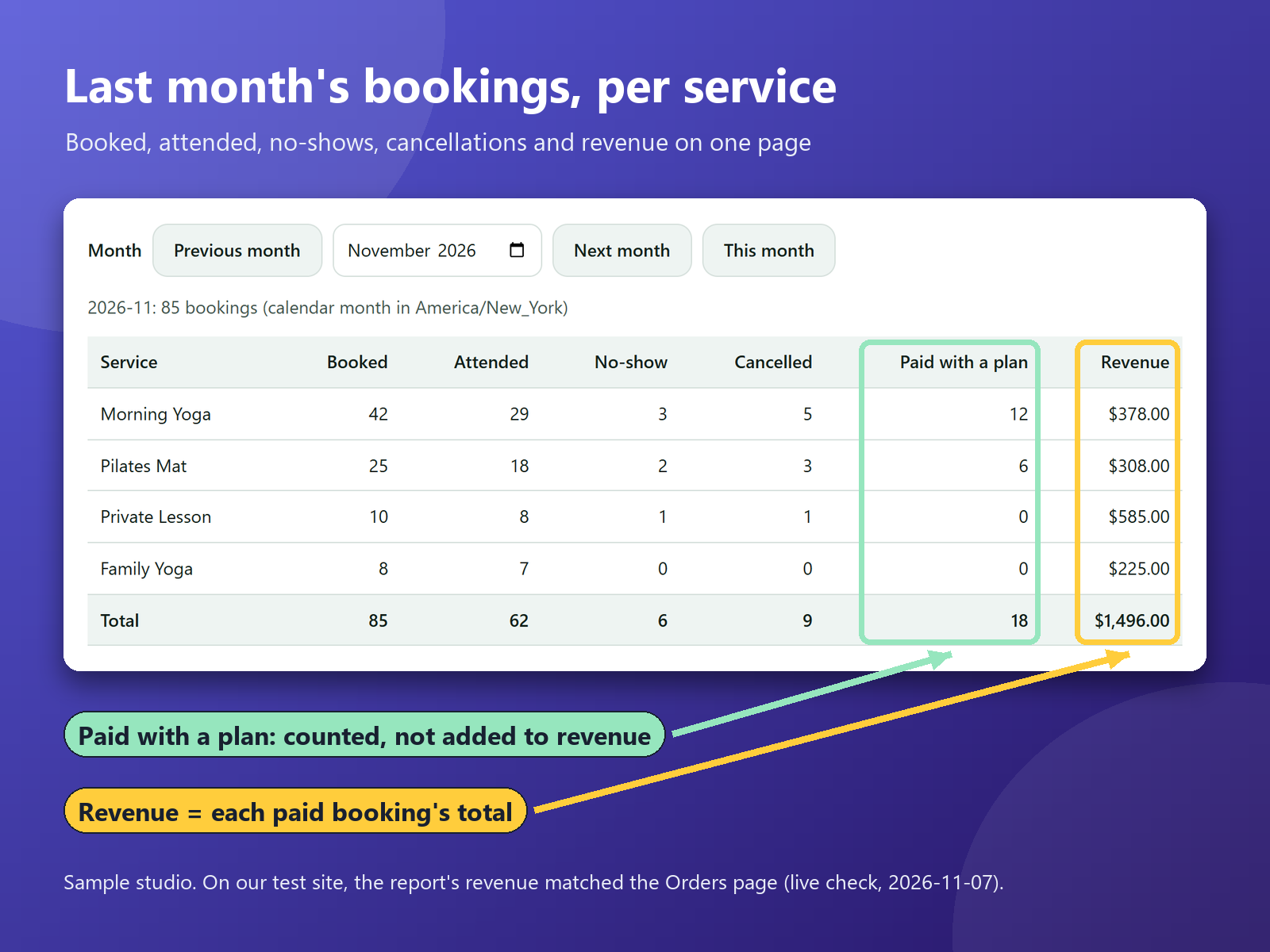
  • Booked, attended, no-show and cancelled, per service
  • Revenue per service from each paid booking
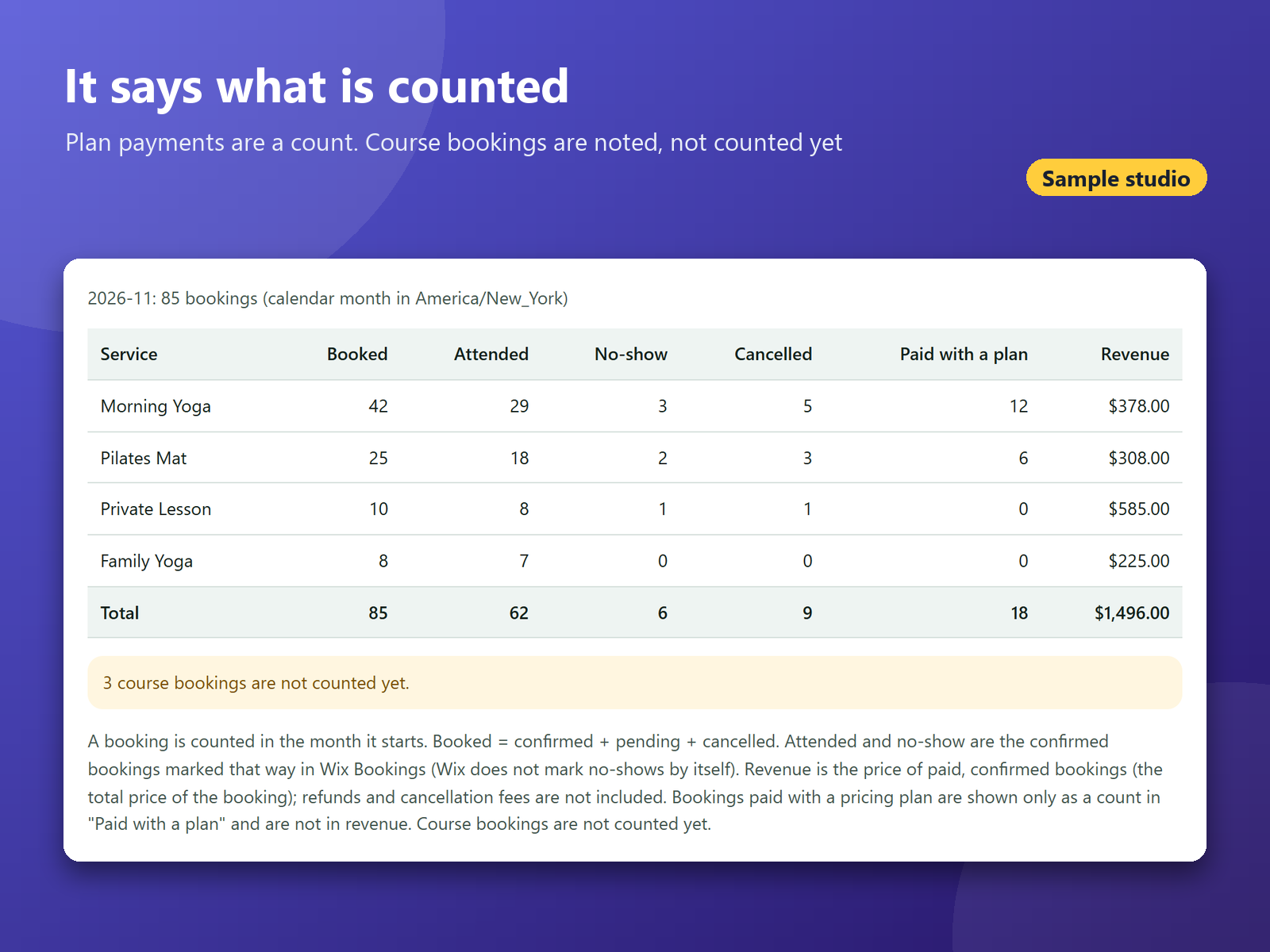
  • Plan payments counted apart, not as revenue
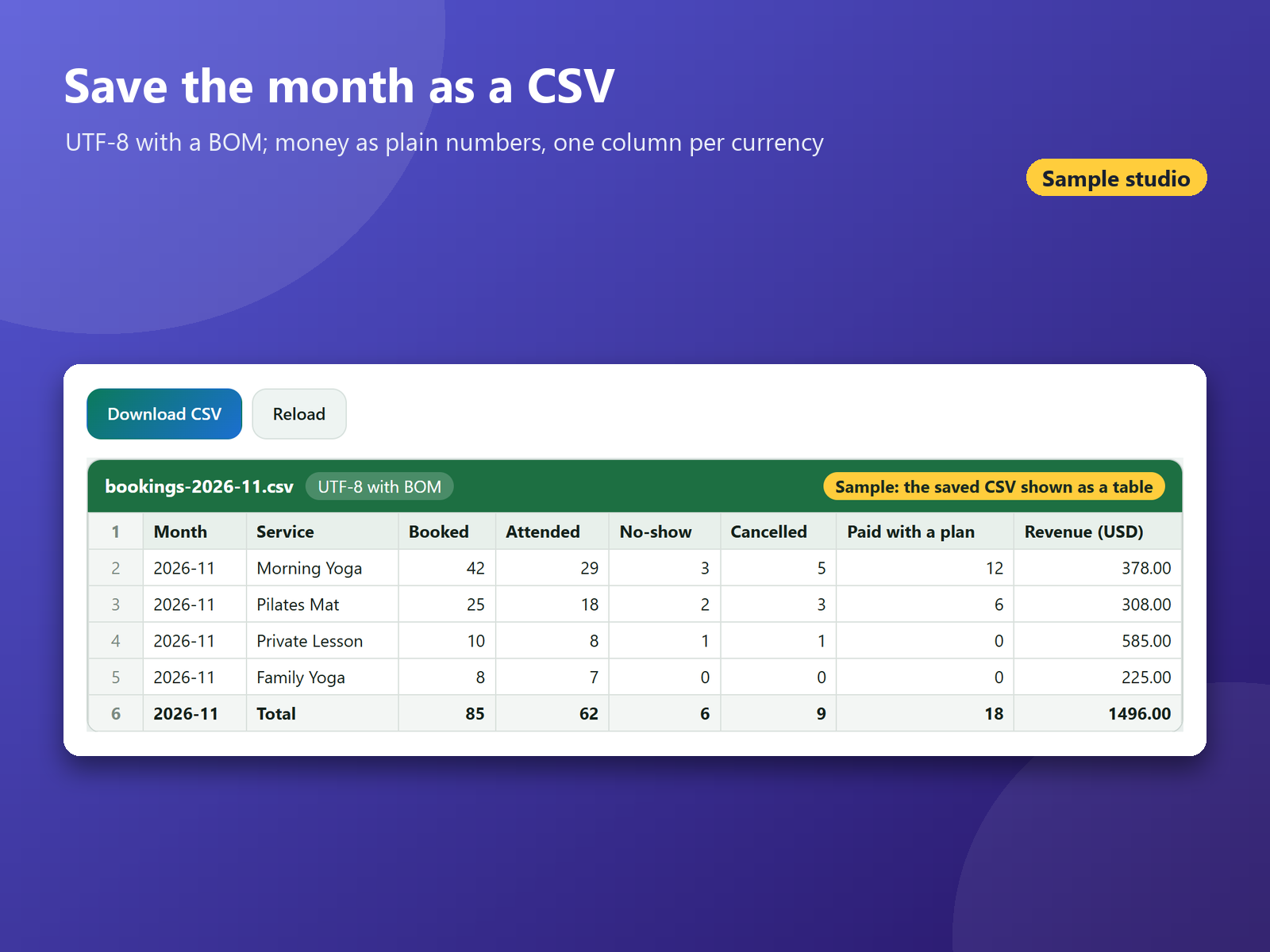
  • CSV with a BOM and plain-number money columns
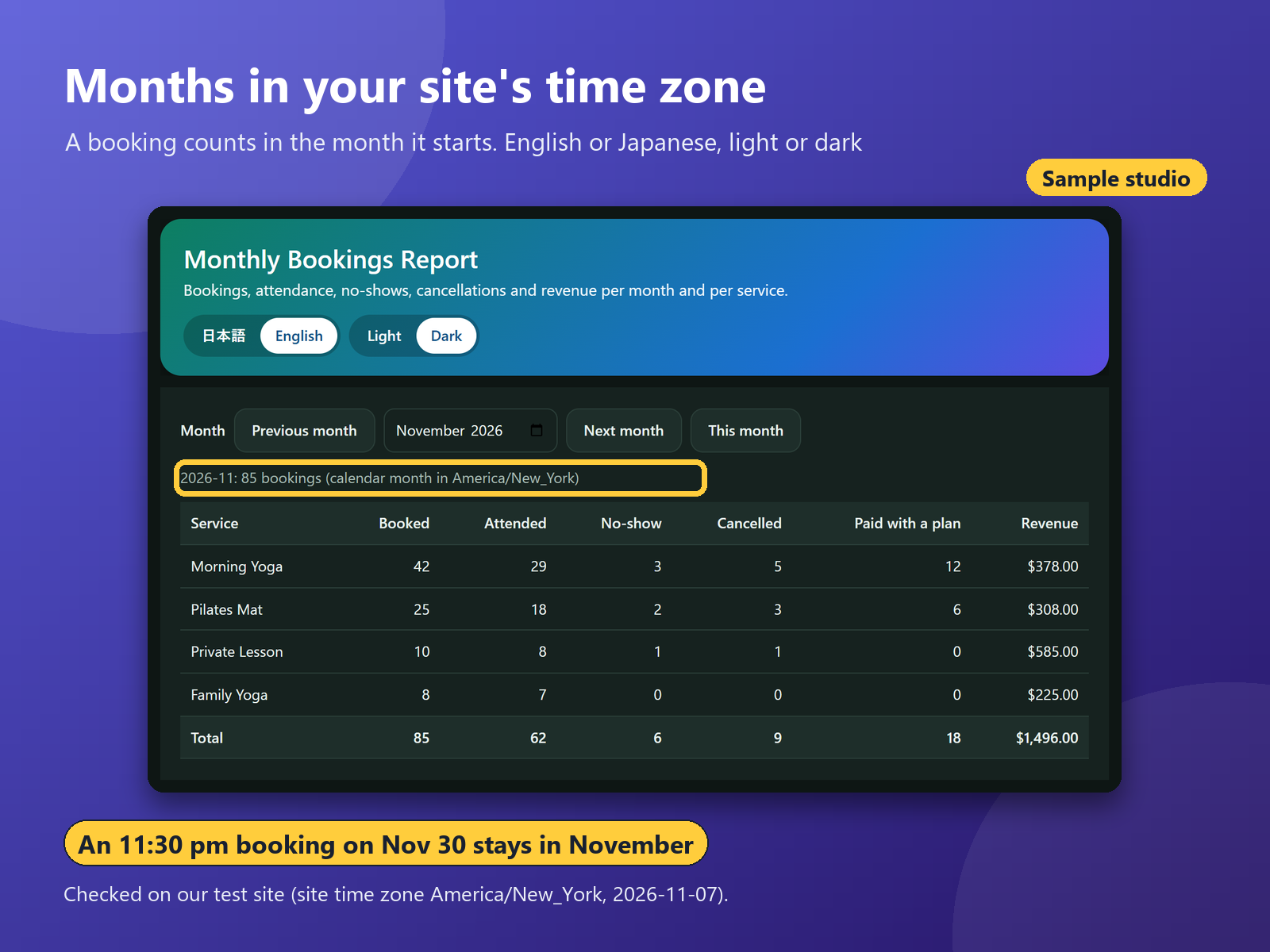
At the end of the month, a studio or salon wants the same numbers: bookings per service, how many came, how many did not show up, how many cancelled, and what each service earned. Collecting that from the calendar and the Orders page by hand takes time. This app adds one page to your dashboard. Pick a month, and each service is listed with its bookings, attended, no-shows, cancellations and revenue, with a total row. A booking counts in the month it starts, in your site's time zone, so an 11:30 pm class on the last day stays in that month. Attended and no-show come from the attendance you mark. Revenue is the booking price of each paid, confirmed booking, taken from its order, including adult and child prices, paid add-ons and payments marked as paid by hand. On our test site it matched the Orders page. Bookings paid with a pricing plan are counted in their own column, not as revenue. Refunds are not subtracted. Course bookings are not in the table yet; the page shows how many there are. Download the month as a CSV: UTF-8 with a BOM, money as plain numbers, one column per currency. The app only reads; it writes and stores nothing on your site. English and Japanese, light or dark.
Availability:
This app is available worldwide.
App languages:
English, 
Japanese
You can translate all app content displayed on your site into any language.
Site Requirements:
-
Featured in

Rating & Reviews

This app hasn’t received any reviews yet, be the first to rate it.

Build and launch your next app for 230m+ Wix users