Email QR code generator
Design a custom QR code that opens a pre-filled email—scan to contact, no typing needed
Create a QR code for:
Add your email address
Design your QR code
Body shape
Colors
Colors
Colors
Gradient type
Select gradient type
Linear (vertical)
Linear (horziontal)
Radial
Design your email QR code
Your brand, your colors
Set your colors, choose your shapes and upload a logo—your email QR code fits right in with your brand.Scans right, every time
Contrast is verified automatically as you build, so your code stays readable no matter how you style it.Ready to share anywhere
Download as PNG, JPG or SVG, or drop it straight into a Wixel design—ready for print, digital or wherever you need it.
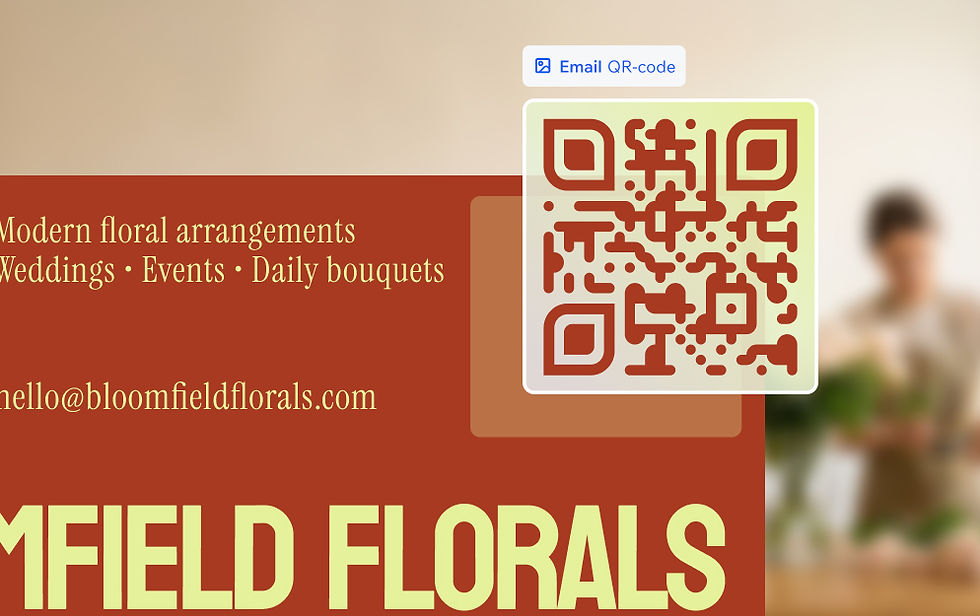
How to make an email QR code
1. Enter your email details
Add the recipient address, plus an optional subject line and message body. The preview updates live as you type.
2. Customize the design
Pick colors, body and eye shapes that fit your brand. Upload a logo to center in the code—contrast is checked for you.
3. Sign in or create a Wixel account
A free account saves your code and unlocks your download. Sign up takes less than a minute.
4. Download your QR code
Download your code as PNG, JPG or SVG. Pick the size that suits your project—high-res for print, standard for digital.
5. Add it to your design
Drop your email QR code into a Wixel design. Place it on a flyer, menu, business card or any layout you're building.


FAQs
What is an email QR code?
An email QR code is a scannable code that, when read by a phone camera, opens the email app automatically with a pre-filled recipient email address. The person holding the phone doesn't have to type anything. One point, one tap to send.
You'll find them on business cards, flyers, event signage and product packaging. They replace a written address with something more practical: a code that handles the setup the moment a phone reads it. Fewer missed connections, fewer typos and more messages that actually go out.
That makes the experience easier for whoever's on the other end—whether you're collecting RSVPs, handling support requests or inviting customer feedback. It's a simple addition to any material that asks people to get in touch.
How do I create a QR code that opens an email?
Start by selecting "Email" as your destination in the QR code generator. Enter the recipient address you want the code to point to—usually your own inbox or a shared team address.
Once your details are in, move to the design step. Choose colors that match your brand, select body and eye shapes, and upload a logo if you'd like one centered in the code. Contrast is checked automatically as you go, so you'll always get a code that reads correctly—even with a custom color scheme.
When the design is ready, sign in or create a free Wixel account to access your download. You can save the file as a PNG, JPG or SVG—whichever fits your project. Then add it directly to a design in Wixel, or export it and place it wherever you need it.
How do businesses use email QR codes for marketing?
Email QR codes give businesses a direct way to invite contact without asking anyone to type out an address. Instead of printing your email somewhere and hoping people remember or copy it correctly, a code turns the whole step into a single scan. More inquiries reach you, fewer drop off along the way.
Common uses include printing a code on a business card so a new contact can reach you immediately, adding one to a product insert to gather customer feedback, or including it on event materials so attendees can request a follow-up. Service businesses often use them on flyers or window displays to invite bookings.
Wixel's email QR code generator lets you style the code to match your other materials, so it looks intentional and on-brand rather than a generic add-on.
Who typically uses email QR codes?
Email QR codes are most useful for anyone who regularly shares contact information or wants to make it easy for people to reach them without friction.
Small business owners use them on business cards, signage and packaging to replace a printed address with something people can act on instantly. A single scan opens a ready-to-send draft—no typing, no copying, no errors.
Freelancers and creatives add them to portfolios, invoices and printed materials so potential clients can get in touch without extra steps. It's a practical touch that signals care for the other person's time.
Event organizers include them on programs, badges or booth displays so attendees can connect directly with speakers, exhibitors or the organizing team. Instead of swapping cards, visitors scan and send.
Content creators and influencers often add email QR codes to media kits and brand decks to make collaboration inquiries as straightforward as possible for potential partners.
Ultimately, any situation where you'd normally write out an address benefits from a QR code instead. It's faster, less error-prone and fits naturally into a designed layout.
Can I customize my email QR code's design?
Yes—Wixel's email QR code generator gives you full creative control over how the code looks. You're not limited to a black-and-white square. Choose foreground and background colors to match your brand, apply a gradient fill and pick from different body and eye shapes to give the code a more distinctive style.
You can also upload a logo to sit at the center of the code. This is a popular choice for businesses that want the code to feel like a branded asset rather than a basic utility. A centered logo reinforces recognition and makes the code look intentional in any printed or digital layout.
As you adjust colors and shapes, contrast is checked automatically. This matters because a code with low contrast between its foreground and background may not read reliably. The built-in checker keeps your design both on-brand and fully functional—no manual testing required.
Once you're satisfied, download the finished code as a PNG, JPG or SVG. SVG is the best option for large-format print since it scales without losing quality. PNG works well for most digital and standard print applications. Either way, you'll have a file ready to drop into your next design.
Are email QR codes free to create?
Yes—creating an email QR code on Wixel is free. You don't need a paid subscription to design and download a custom code. Sign in or create a free account to access the QR code generator in full: color controls, body and eye shape options, logo upload and built-in contrast checking are all included.
Download your finished code as a PNG, JPG or SVG—whichever your project needs. There's no limit on how many codes you can create, and they don't expire. If you want to refresh the design or update the destination address at any point, you can make a new version whenever you like. Your saved details mean you're not starting from scratch each time.
The free tier covers what most people need for personal projects, business cards, event materials and general marketing use. For the email QR code generator itself, the free experience is complete.