
Picture the possibilities
Transform photos into stunning visuals with our AI photo editor. Enhance details, swap backgrounds, and create high-quality images instantly.
Make photos flawless
Turn any photo into the perfect shot with AI tools to remove distracting elements, extend cramped backgrounds, and fine-tune so it looks just the way you want.Brighten any scene
Rescue your dark or blurry pics. Use our AI enhancer to boost colors, brighten shadows, and bring every detail into perfect sharpness for frame-worthy shots.Create a whole new view
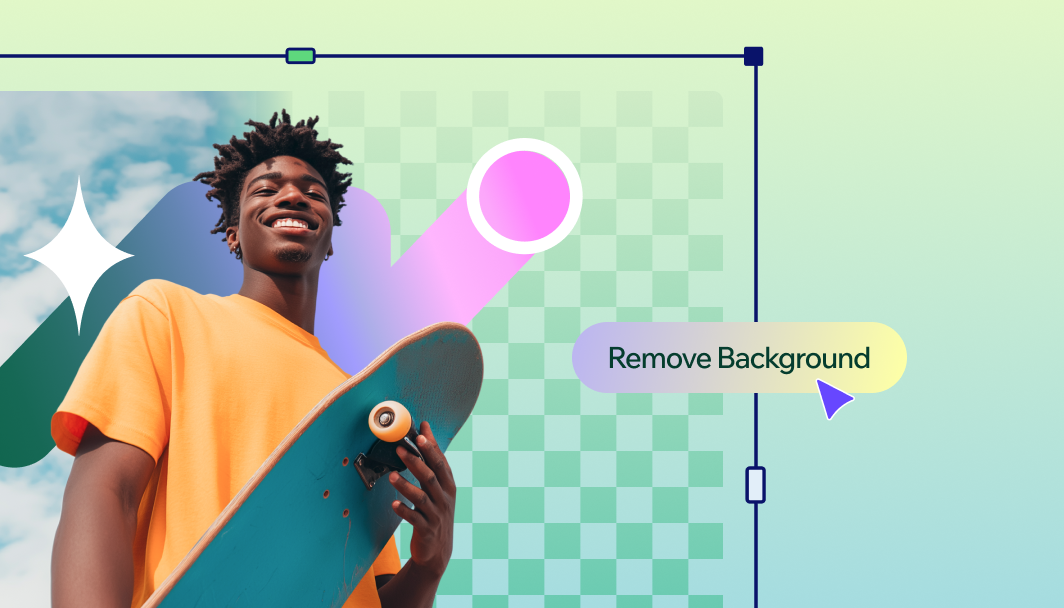
Switch up your photo by replacing the background or objects. Turn a coffee cup into a crystal ball, swap the park for a mountain peak—let your imagination run wild.

How to edit your photos with AI
Get started with our AI photo editor and turn your images into professional-looking shots in minutes.
1. Upload your photo
Select images from your device and upload them into our AI editor. We support all common image formats.
2. Sign in or create a Wixel account
To access AI editing features, you'll need to log in or create a free Wixel account.
3. Apply AI enhancements
Choose from AI editing tools to perfect lighting, adjust composition, or transform elements and backgrounds.
4. Fine-tune your creation
Make precise adjustments to colors, effects, and elements until your vision comes to life.
5. Save and share
Download your enhanced image in high quality or share directly to social media platforms.
FAQs
What is an AI photo editor?
An AI photo editor uses artificial intelligence to enhance and transform images automatically. It helps you perfect lighting, remove unwanted elements, and make advanced edits with minimal manual work.
Can an AI photo editor be used to enhance old or low-quality photos?
Yes, Wixel's AI photo editor excels at improving dark, grainy or low-quality photos. It can reduce noise, sharpen details, and restore colors to bring new life to photos.
How do I replace an image background?
Replacing an image background is easy. Just upload your photo, and use our AI background remover to automatically detect and remove the current background. Then, you can either add a new background photo or generate a new one. For professional headshots, you can take it a step further and use our AI portrait generator to create a polished, work-ready portrait with professional background and lighting.
How do I edit photos using AI tools?
Upload your photo to our editor, then choose from AI-powered enhancement tools like auto-enhance, smart select, or background replacement to fine-tune your image to perfection. If you'd rather start from scratch, you can use Wixel's AI image generator to create a completely new image in seconds using a text prompt.
Create with confidence
This file type isn’t currently supported
We support most popular file types including: .jpg, .jpeg, .png, .heic, .heif, and .svg. Please also make sure your file size is 25MB or less.
Uploading your file
This should only take a few moments.