top of page

/

App

Design anywhere with the Wixel app

Create what you imagine, wherever inspiration strikes. With the Wixel app, you can craft standout designs in one seamless flow, right on your phone. 

A smiling couple stands outdoors. Half of the background is replaced by a transparent checkerboard pattern to show the background removal tool.
A promotional image for supplements. The background has been edited so the jar floats over a gradient background, and there are text overlays promoting a discount.
The input field for image generation prompts. A prompt is added and the mouse hovers over the Generate Image button.
An AI-generated image of an orange bag on a grassy hill, with floating bubbles and a soft sky.
A New Year’s party invitation template with dark green and bold pink colors.
Wixel's AI image generator turns a text prompt into a photo of a sports car in a field of wildflowers.
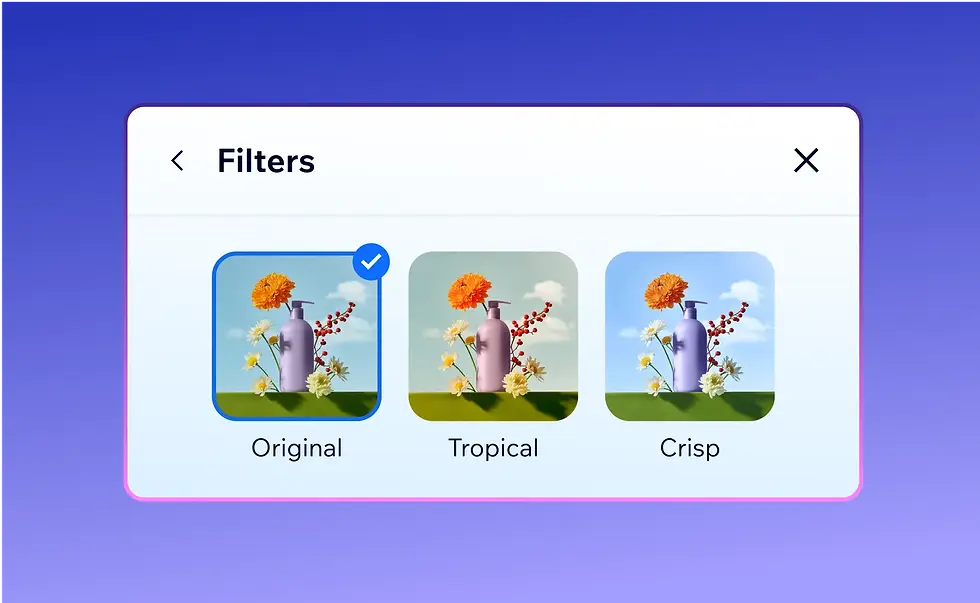
A panel in the Wixel editor where you can choose different photo filters.
A photo of a woman jogging. Wixel’s selection tool is used to highlight and erase another person from the background.
A promo image of a side table with the words “flash sale” over it. The image is surrounded by a border with handles to show that it’s being resized to a 16 to 9 ratio.
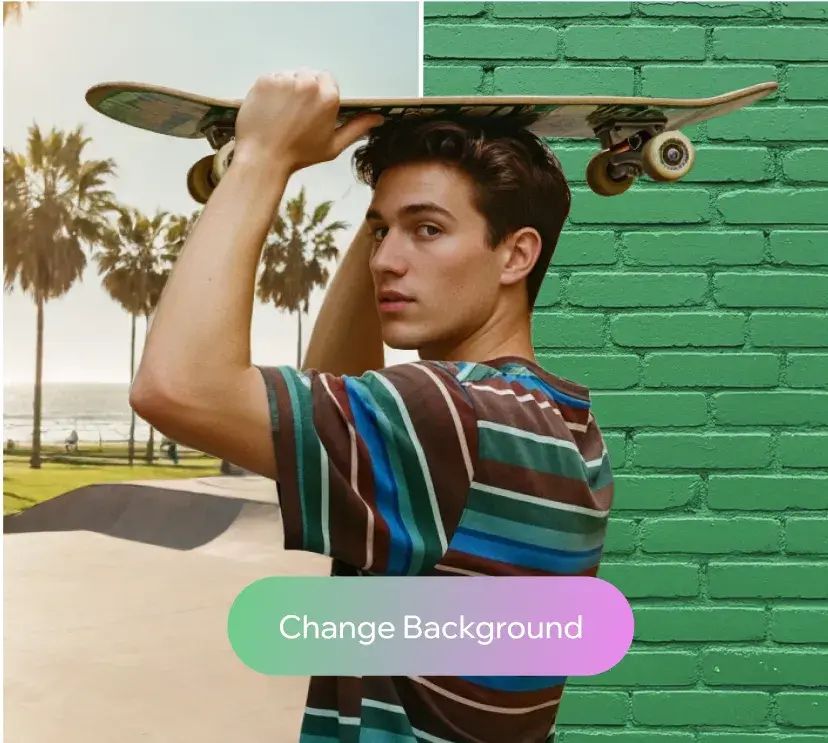
A man holding a skateboard. Half of the background shows a skate park, and half shows a green brick wall, demonstrating the change background tool.
A promotional image for supplements. The background has been edited so the jar floats over a gradient background, and there are text overlays promoting a discount.
A smiling couple stands outdoors. Half of the background is replaced by a transparent checkerboard pattern to show the background removal tool.
The input field for image generation prompts. A prompt is added and the mouse hovers over the Generate Image button.
A man holding a skateboard. Half of the background shows a skate park, and half shows a green brick wall, demonstrating the change background tool.
A New Year’s party invitation template with dark green and bold pink colors.
Wixel's AI image generator turns a text prompt into a photo of a sports car in a field of wildflowers.
A panel in the Wixel editor where you can choose different photo filters.
A photo of a woman jogging. Wixel’s selection tool is used to highlight and erase another person from the background.
An AI-generated image of an orange bag on a grassy hill, with floating bubbles and a soft sky.
A promo image of a side table with the words “flash sale” over it. The image is surrounded by a border with handles to show that it’s being resized to a 16 to 9 ratio.
A promotional image for supplements. The background has been edited so the jar floats over a gradient background, and there are text overlays promoting a discount.
A smiling couple stands outdoors. Half of the background is replaced by a transparent checkerboard pattern to show the background removal tool.
The input field for image generation prompts. A prompt is added and the mouse hovers over the Generate Image button.
A man holding a skateboard. Half of the background shows a skate park, and half shows a green brick wall, demonstrating the change background tool.
A New Year’s party invitation template with dark green and bold pink colors.
Wixel's AI image generator turns a text prompt into a photo of a sports car in a field of wildflowers.
A panel in the Wixel editor where you can choose different photo filters.
A photo of a woman jogging. Wixel’s selection tool is used to highlight and erase another person from the background.
An AI-generated image of an orange bag on a grassy hill, with floating bubbles and a soft sky.
A promo image of a side table with the words “flash sale” over it. The image is surrounded by a border with handles to show that it’s being resized to a 16 to 9 ratio.
Wixel's AI image generator turns a text prompt into a photo of a sports car in a field of wildflowers.
A panel in the Wixel editor where you can choose different photo filters.
A photo of a woman jogging. Wixel’s selection tool is used to highlight and erase another person from the background.
An AI-generated image of an orange bag on a grassy hill, with floating bubbles and a soft sky.
A promo image of a side table with the words “flash sale” over it. The image is surrounded by a border with handles to show that it’s being resized to a 16 to 9 ratio.
Wixel's AI image generator turns a text prompt into a photo of a sports car in a field of wildflowers.
A panel in the Wixel editor where you can choose different photo filters.
A photo of a woman jogging. Wixel’s selection tool is used to highlight and erase another person from the background.
An AI-generated image of an orange bag on a grassy hill, with floating bubbles and a soft sky.
A promo image of a side table with the words “flash sale” over it. The image is surrounded by a border with handles to show that it’s being resized to a 16 to 9 ratio.
A promotional image for supplements. The background has been edited so the jar floats over a gradient background, and there are text overlays promoting a discount.
A smiling couple stands outdoors. Half of the background is replaced by a transparent checkerboard pattern to show the background removal tool.
The input field for image generation prompts. A prompt is added and the mouse hovers over the Generate Image button.
A man holding a skateboard. Half of the background shows a skate park, and half shows a green brick wall, demonstrating the change background tool.
A New Year’s party invitation template with dark green and bold pink colors.
A promotional image for supplements. The background has been edited so the jar floats over a gradient background, and there are text overlays promoting a discount.
A smiling couple stands outdoors. Half of the background is replaced by a transparent checkerboard pattern to show the background removal tool.
The input field for image generation prompts. A prompt is added and the mouse hovers over the Generate Image button.
A man holding a skateboard. Half of the background shows a skate park, and half shows a green brick wall, demonstrating the change background tool.
A New Year’s party invitation template with dark green and bold pink colors.

Shape your ideas with one app

The Generate Image panel is open in Wixel. The prompt asks for a shiny, pink balloon text that says 30 percent off. The text is for a promotional Instagram post.

Generate unique images from scratch, reimagine your own photos, or customize ready-made templates to match your vision.

Turn photos into polished, professional visuals with intuitive controls to boost clarity, sharpen contrast, erase backgrounds, and more.

From your first idea to the finished creation, keep your entire creative process in Wixel—no need to jump between apps.

The Generate Image panel is open in Wixel. The prompt asks for a shiny, pink balloon text that says 30 percent off. The text is for a promotional Instagram post.

What’s inside Wixel

Photo editor

Refine your photos with small tweaks, or go bold and add effects, recolor, or even swap backgrounds. 

A product photo of a water bottle open in Wixel’s photo editor. The image background is removed and replaced with a new one.

AI image generator

Describe your idea and get custom, AI-generated images you can edit and use for your next project. 

An AI-generated photo of a matcha latte and croissant on a wooden tray. There are buttons underneath with the options to edit or download the image.

Avatars and portraits

Turn a photo of yourself into a digital avatar or professional portrait in your unique style. 

Wixel’s AI avatar maker uses a reference photo of a podcaster to create a stylized 3D cartoon  image of him.

Templates

Choose a professionally-designed template that matches your vision, and edit to make it your own. 

Wixel’s searchable template library, showing a grid of designs for social posts, invitations, and greeting cards.

How to use the Wixel app

Get set up with Wixel so you can generate, customize, and polish your visuals in one app.

1. Download the Wixel app

You can download the Wixel app to your device from the App Store or Google Play.

2. Log in or create an account

To use the Wixel app, you’ll need to sign in or create a free Wixel account.

3. Upload an image, generate one, or use a template

There are a few ways you can start creating with Wixel. Upload an image, generate a custom image using AI, or, choose one of our professionally-designed templates.

4. Edit your image

Once your project is open in the Wixel editor, you can make it your own. Remove or change backgrounds, crop, add filters, add text or stickers, and more.

5. Download your final design

When you’re ready to share your project, you can choose the file format and quality you need and download it to your device.

FAQs

Is the Wixel app free?

The Wixel app is free to download. With Wixel’s free plan you get 10 daily credits for AI image creation and editing, along with access to free templates, elements, and photos. Or, you can try Wixel’s Pro plan free for 14 days, and access 1,000 monthly AI credits, along with premium templates, elements, and photos.

What can I do with the Wixel app?

You can use the Wixel app to generate images from scratch using AI, edit your photos, and create design projects like social media posts or invitations.

How do I download the Wixel app?

You can download the Wixel app from the App Store or Google play, sign up or log in to your account, and start using it from your phone.

Can I create graphic designs with my phone?

Yes, with the Wixel app you can create full designs like social media posts, invitations, and more right from your phone.

Can I use my Wix account to use the Wixel app?

Yes. Wixel is an AI-powered design platform created by Wix. If you have a Wix account, you’ll be able to sign in to Wixel, or you can sign up directly in the Wixel app.

Create with confidence

bottom of page