top of page
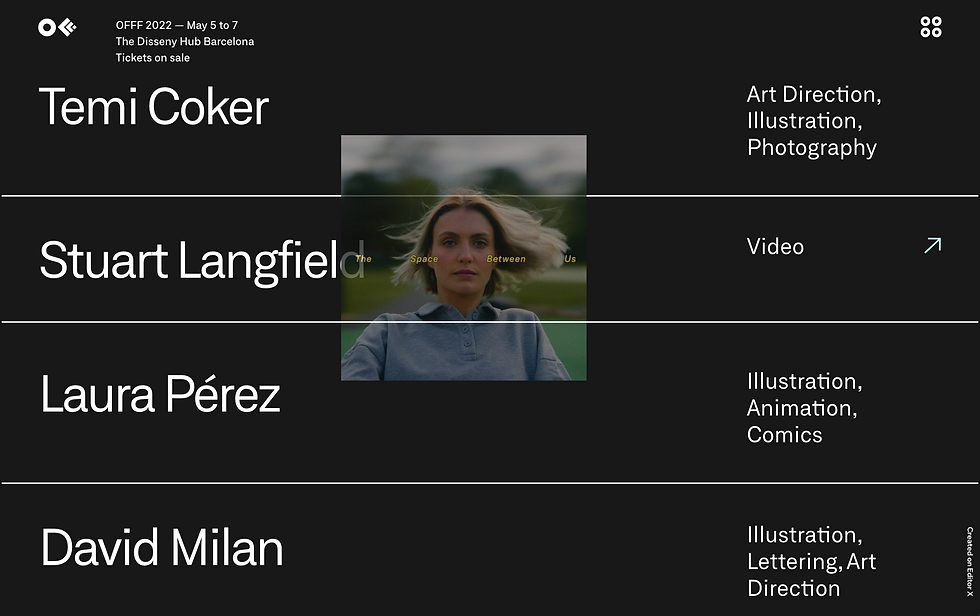
How to create a floating image effect
ABOUT
Want to make your website look more impressive? Learn how to apply a floating image effect on your Wix site.
SUITABLE FOR
Editor X

Chapter 01: Layout
01. Add images to the site
02. Position images in a layout
Add paragraph text. Click “Edit Text” to customize this theme across your site. You can update and reuse text themes.
Chapter 02: Custom element
01. Turn on Dev Mode
02. Add a custom element
03. Create a new js file for the custom element
04. Delete the default code
05. Change the js file's name
06. Choose the js file as the source
07. Set the tag name
08. Paste code in the custom element's js file
const getMouseCoordinates =
    `document.body.addEventListener("mousemove", sendMouseCoordinates);

    function sendMouseCoordinates(e) {
            document.getElementsByTagName("mouse-move")[0].dispatchEvent(new CustomEvent('coor',{
                detail: {
                    clientX : e.clientX,
                    clientY : e.clientY
                }
            }
        ));
    }`;

class MouseMove extends HTMLElement {

    constructor() {
        super();
    }

    connectedCallback() {
        var funcScript = document.createElement('script');
        funcScript.innerHTML = getMouseCoordinates;
        this.appendChild(funcScript);
    }

    static get observedAttributes() {
        return ['element-id'];
    }


}

customElements.define('mouse-move', MouseMove);Chapter 03: Velo
01. Paste the import code
02. Paste the code in the Velo panel
03. Update the image IDs in the code
import wixAnimations from 'wix-animations';

$w.onReady(function () {
    const bigMove = $w('#imageX30, #imageX28, #imageX63, #imageX62');
    const smallMove = $w('#imageX31, #imageX29, #imageX61, #imageX43, #imageX65');
    $w('#customElement1').on('coor', (event) => {
        let clientX = event.detail.clientX;
        let clientY = event.detail.clientY;
        playAnimation2(clientX, clientY);
    });

    function playAnimation2(clientX, clientY) {
        wixAnimations.timeline()
            .add(bigMove, { x: clientX / 10, y: clientY / 10, duration: 500, easing: 'easeLinear' })
            .add(smallMove, { x: clientX / 15, y: clientY / 15, duration: 500, easing: 'easeLinear' }, 0)
            .play();
    }
});
MORE HOW TO'S




bottom of page